
DarazPlay Casino – Sign Up & Login Guide
If you want to jump into slots, live casino, or sports at DarazPlay, the first step is a clean account setup that will not eat up your time. Darazplay built the registration and login flow so you can start playing in a few minutes and handle everything right from Bangladesh with your phone number and BDT balance.
You can sign up to Darazplay via desktop, mobile browser, or our apps, then log in on any device using the same details. Let’s dig into how you register, verify, log in to DarazPlay BD safely, and make that first deposit without getting stuck.
Creating Your DarazPlay Account
When you create a new DarazPlay account, you link your personal details, mobile number, and payment methods so you can deposit in ৳ and get paid out smoothly. You only need basic info at first and can complete deeper verification later before withdrawals.
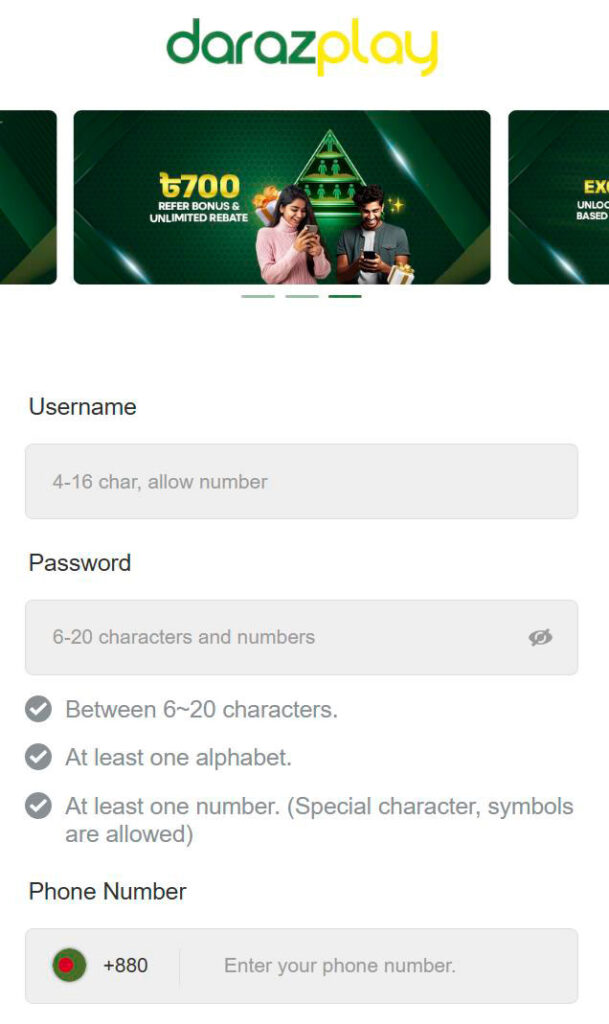
The same profile works everywhere: desktop site, mobile browser, and mobile app, so you do not need separate Darazplay logins.
Registration Requirements
To register at DarazPlay, you must be at least 18 years old and accept our Terms & Conditions and Responsible Gaming policies. The FAQ also explains that each player can only hold one account; multiple or fake accounts can be suspended, and any remaining funds may be forfeited.
You will need a working Bangladeshi mobile number, a valid email, and a password that follows our password guidelines. Later, for full verification and withdrawals, the name on your DarazPlay profile must match your ID and the bank or wallet accounts you use for payments.
Step-by-Step Sign Up Process
We kept the DarazPlay registration form short, so you can finish it in under a minute if you have your phone nearby. Here is the typical flow to sign up to DarazPlay.
- Open our official DarazPlay website or mobile app in your browser or on your phone.
- Tap the “Sign Up” button on the DarazPlay home screen to open the registration window.
- Enter your mobile phone number, choose a password, and fill in any extra requested fields like email.
- Enter the SMS code that we sent to your phone to confirm it is really you.
- Hit “Done” or “Submit,” and your DarazPlay BD account is created; you can now log in and start exploring games.
Account Verification
Now, before you start moving bigger amounts, you will want to verify your account properly. The FAQ explains that verification is required before you can deposit and withdraw smoothly and that your registered name at DarazPlay must match your ID and payment accounts.
You will usually be asked to upload or confirm ID details and possibly proof of address, and then wait for our team to review the information. Once verified, you can enjoy higher deposit and withdrawal limits, faster cashouts, and full access to all promotions and VIP features.
DarazPlay Login Process
Once your Daraz Play Casino account is set up, logging in is simple, whether you are on desktop or mobile. You always use the same username or mobile number and password, and you can move freely between devices.
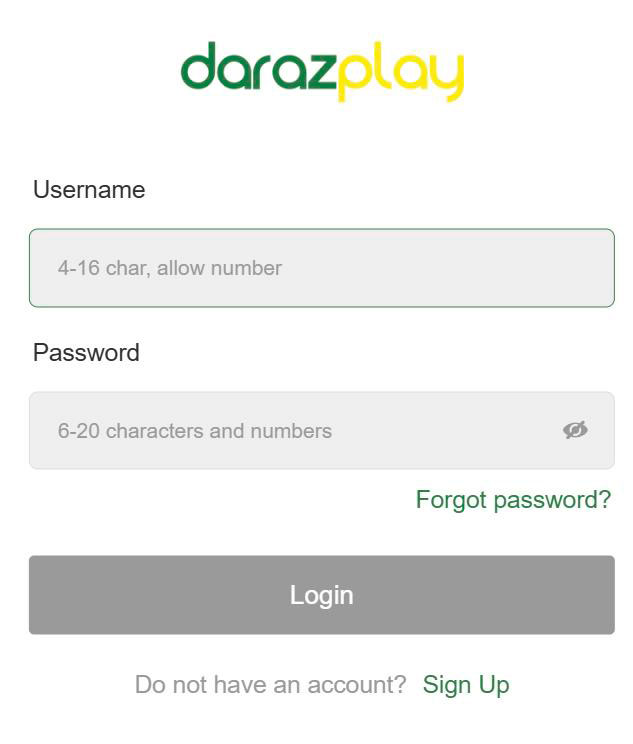
If anything goes wrong, there are dedicated FAQ entries for “Why can’t I log in to my account?” and “What should I do if I’ve forgotten my password?” so you are never stuck for long.
Desktop Login
On a desktop, you log in directly from the top of the Daraz Play Casino homepage. You do not need any extra software.
- Go to the official DarazPlay site in your browser.
- Click the “Login” button in the Darazplay header.
- Enter your DarazPlay username or registered email/phone number and password.
- Click “Login” again, and you will be taken to your Daraz Play account dashboard with your balance and games.
Mobile App Login
If you prefer mobile, you can create a new account at DarazPlay using the Android APK app or the iOS App Store app. The same credentials work across the app, mobile site, and desktop.
After installing the app, open it, tap “Login” on the Daraz Play home screen, and enter your existing username and password. You can also enable biometric login (fingerprint or Face ID) on supported devices to speed up future logins.
Login Security Features
We take your account safety seriously, especially with real money in play. The FAQ and security pages confirm that DarazPlay uses SSL encryption to protect your data and recommends strong, unique passwords.
You can also protect access by using biometric login on mobile, where available, and by never sharing your password with anyone. If there is any suspicion of hacking or fraud, there are clear FAQ steps on what to do if your account is hacked and how to prevent account hacking or fraud, plus 24/7 support to help you lock things down.
Here is a quick snapshot:
| Security feature | Where it works |
| SSL-encrypted website | Desktop & mobile site |
| Strong password rules | All platforms |
| Biometric login | Mobile app (supported) |
| Single-account policy | All players |
Account Settings & Profile Management
Once you are logged in, you can adjust your profile details and link payment methods so everything matches your real identity. Keeping these details correct is important for smooth deposits and withdrawals.
Most settings live under “My Account,” where you can edit personal details, check your VIP status, see transaction history, and manage security.
Personal Information Update
If you need to change your email, phone, or other personal details, you can do it from your account area. The FAQ includes dedicated questions like “How do I change my email address/phone number?” with step-by-step instructions.
However, you cannot change your username once it is created, and your registered name at DarazPlay must match your identification documents and payment accounts. If you have serious changes or mistakes, you may need to contact customer support with supporting documents.
Payment Methods Setup
DarazPlay is built for Bangladeshi players, so you can link local methods like bKash, Nagad, Rocket, local bank, and USDT to your account. Deposit methods FAQs cover “What kind of deposit methods are available on DarazPlay?” and “What is the minimum deposit amount?” in detail.
Typically, you go to the Deposit page, choose your payment method, enter the amount (from around ৳200 upwards depending on method), send the payment, and wait for it to reflect almost instantly. For withdrawals, you use the same type of method, with a minimum withdrawal of about ৳800 and processing times from 10 minutes up to a couple of days, depending on the bank or wallet.
Password Recovery & Account Issues
Honestly, everyone forgets a password at some point, so we tried to make the recovery paths clear instead of frustrating. There are also FAQs for locked accounts, missing reset emails, and security tips.
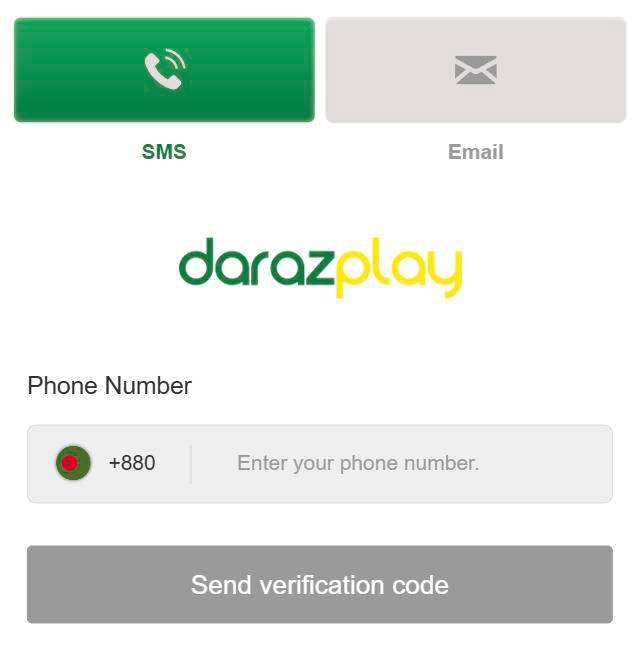
If anything feels off, you can always reach out to 24/7 support via live chat, email, Telegram, or Messenger, and they will help you recover access once they verify your identity.
Forgot Password Process
If you forget your password, use the reset function instead of guessing over and over. The FAQ “What should I do if I’ve forgotten my password?” outlines the process.
- On the login screen, click or tap the “Forgot Password” link.
- Enter your registered email or phone number and request a reset.
- Check for the reset email or SMS and follow the link or code provided.
- Set a new strong password according to our guidelines and log in again.
If you do not receive the reset email, there is a specific FAQ entry “Why am I not getting password reset emails?” that covers checking spam, using the correct address, and contacting support if the issue continues.
Account Lockout Solutions
If your account is locked due to too many failed login attempts to Daraz Play, do not panic. The FAQ “My account is locked due to excessive login failures, what actions should I take?” explains that you should wait a bit and then follow recovery steps instead of forcing more attempts.
You may need to use the password reset process or contact support to verify your identity and unlock the account. If you suspect that someone else tried to access your account, change your password immediately and review the security tips on preventing account hacking or fraud.
First Deposit After Registration
Once your account is live, the next milestone is your first deposit, because that is when bonuses and real‑money wins kick in. Before depositing, make sure your details are correct, and you meet any verification requirements mentioned in the payment FAQs.
To deposit, log in, click “Deposit” on the Daraz Play main page, choose a payment method like bKash or Nagad, enter your amount (from about ৳200), follow the instructions to send the funds, then wait for them to appear in your balance. You can then pick a welcome offer such as the ৳500 Welcome Bonus or other first‑deposit promos in the promotions section. If anything fails, there is a FAQ entry “What should I do if the deposit fails or has not been credited?” with troubleshooting steps and advice to contact support.

FAQ
No, one DarazPlay account works everywhere; you use the same username and password on the desktop site, mobile site, and mobile apps.
No, the rules clearly state that each member is allowed only one account, and multiple or fraudulent accounts may be suspended with funds forfeited.
The FAQ “Is an identity card number mandatory during registration?” explains when ID details are required and confirms that your registered name must match your documents and payment methods before withdrawals.
If you cannot log in, check the FAQ “Why can’t I log in to my account?” which covers browser issues, cache, maintenance, and potential account locks, and contact support if it still does not work.
According to the payment FAQ, most deposits are credited almost instantly, but some methods, like bank transfer, may take up to an hour; if it takes longer, you should contact support with your transaction details.